
Microsoft Authenticator
About Microsoft Authenticator
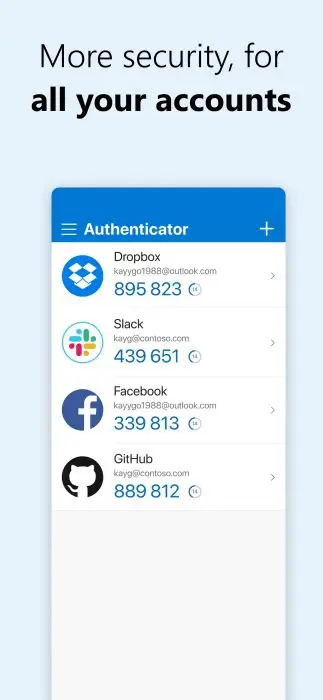
Microsoft Authenticator provides users with a simple, secure way to log in to all their online accounts. Users can log in to their accounts in various ways, such as multi-factor authentication, passwordless and password autofill.
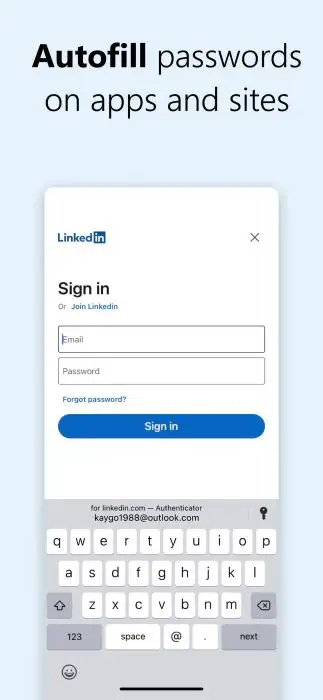
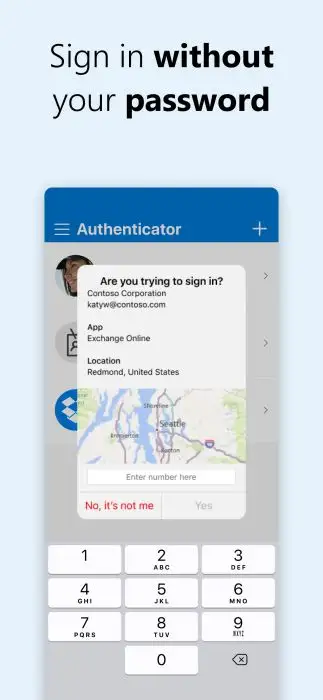
When logging in with multi-factor authentication, you will be asked for an additional way to prove that it is indeed you after entering your password. Either approve the notification sent to the Microsoft Authenticator or enter an app-generated one-time password (OTP). Multi-factor authentication (MFA) or two-factor authentication (2FA) provides a second layer of security for the user’s account. You can also enter your username and approve the notification sent to your phone. In this way, you can sign in to your Microsoft account without entering the password. The Microsoft Authenticator app can also automatically fill in the password for you.
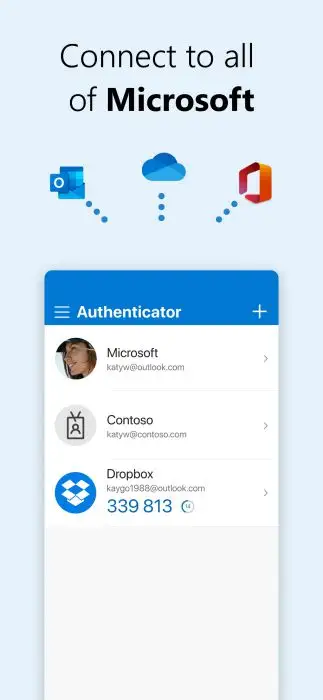
In addition, as Microsoft Authenticator supports single sign-on, you can seamlessly and securely access other Microsoft apps and services without having to log into each. In this way, you can have additional account management options for your Microsoft personal, work or school accounts.
Microsoft Authenticator Reviews
Microsoft Authenticator is a great tool for Microsoft users to improve productivity and efficiency. Anyone who needs to use multiple accounts understands what a hassle it is to enter both your account name and password every time you log in to the account, not to mention the fact that sometimes you may forget the password. Now with this app, users can record their frequently used passwords in the app so that it will automatically fill in the passwords when logging in. If users are more concerned about account security, they can use two-factor or multi-factor authentication to provide a second layer of security. They can choose to use a fingerprint, face ID, PIN or one-time password (OTP) to re-authenticate their identity after entering the passwords.
Store Performance
On iOS AppStore, Microsoft Authenticator’s rating is 4.8 out of 5.0, with 259,924 user reviews. On Google Play, its rating is 4.7 out of 5.0, with 1,307,912 user reviews and more than 50,000,000 installs.
Although the app is currently available on Google Play and iOS AppStore, its tens of millions of installs and high ratings indicate that the app not only has a big market but also performs well. What’s more, it ranks No. 3 in Category-Productivity on the iOS AppStore, which shows that it is more outstanding than other apps of its kind.
Pros and Cons
Pros
- The app has a simple aesthetic design.
- The app offers various features that allow users to authenticate in many different ways and allow for more than just two steps when verifying the identity, which provides a more secure experience.
- It prevents any unwanted intruders from trying to log into your account.
- It works well and notifications are timely.
Cons
- There are still some bugs that need to be fixed.
Additional Information
- Category: Business
- Publish Date: 11 Jun,2026
- Size: 55 MB
- Requirements: Android 8.0+
- Developers: Visit the website
Screenshots




Download






Previous Versions
Disclaimer
· All APK files downloaded from AppDownList.com are safe. This site provides download links to Google Play and App Store. There is no unauthorized processing or modification of any APK packages, and we provide the same content as Google Play.
· This site and all content adheres strictly to all conventions in Google's Advertising Policy and Unwanted Software Policy.
· Please note that AppDownList only provides original APK packages. APK packages, trademarks and logos featured on AppDownList.com are owned by their original owners. If you own copyrighted material and would like to have it removed, please contact the person responsible for this site.
Similar Apps

Google Chat



QR & Barcode Reader

Google Assistant

Notepad Free

Microsoft Outlook: Secure email, calendars & files

Shiftsmart Partner
You may Like