Screen Mirroring for Roku
About Screen Mirroring for Roku
The world of entertainment has been revolutionized with the onset of modern technology. People no longer have to rely on small screen devices to enjoy movies, TV shows and other online content. Screen mirroring is one such technology that allows you to stream content from your smartphone, tablet or laptop onto a big-screen device such as a television. 2kit consulting has launched a new application called Screen Mirroring for Roku to cater to this need.
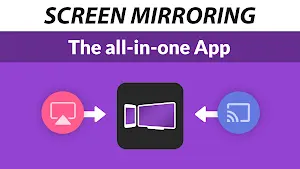
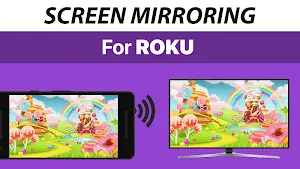
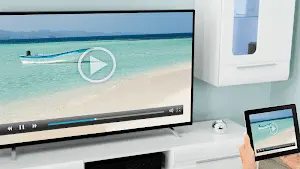
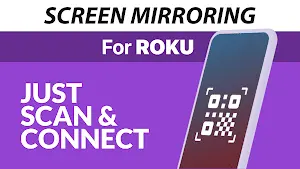
Screen Mirroring for Roku is an easy-to-use app that lets you share the screen of your mobile device with your Roku player. It is designed for all Roku devices and works seamlessly with iOS, Android and Windows operating systems. The app allows you to mirror your phone or tablet screen to your TV in high-definition quality, without any lag or buffering. With Screen Mirroring for Roku, you can enjoy your favorite content on a bigger screen and take your entertainment experience to the next level.
In conclusion, Screen Mirroring for Roku is a useful app that offers a convenient way to share your mobile device’s screen with your TV. With its easy setup, high-quality streaming and user-friendly interface, it is a popular option among its users. However, the app’s limited features, product compatibility and requirement for internet connectivity can be a hindrance for some users. All in all, Screen Mirroring for Roku is a good option for those who own a Roku device and are looking for a hassle-free way to enjoy their content on a bigger screen.
Screen Mirroring for Roku Reviews
When it comes to the actual using experience, users of Screen Mirroring for Roku have been highly satisfied with its performance. The application has received rave reviews for its reliable and stable connection, delivering high-quality mirroring with minimal latency. Many users have praised its compatibility with various media formats, allowing them to stream videos, photos, and even play games with exceptional clarity on their TVs.
Store Performance
On iOS App Store, the rating of Screen Mirroring for Roku is 3.7 out of 5.0, with 49K user reviews. On Google Play, its rating is 3.2 out of 5.0, with 4.64K user reviews and more than 1 million installs. Based on the above data, we can find that this app has relatively higher scores and a more favorable recognition on App Store.
Pros and Cons
Pros
1. Screen Mirroring for Roku provides a smooth and lag-free mirroring experience, ensuring an immersive viewing and interactive experience.
2. Users can effortlessly stream a wide variety of media, including videos, photos, and music, directly from their mobile devices to the TV screen.
3. With Screen Mirroring for Roku, professionals can deliver engaging presentations by mirroring their slideshows or documents onto a larger screen, enhancing audience engagement.
4. Gamers can take advantage of the application’s low latency and high-quality mirroring to enjoy an immersive gaming experience on their Roku-enabled TVs.
Cons
1. Screen Mirroring for Roku relies on a stable Wi-Fi network, and interruptions or signal weakens can disrupt the mirroring experience.
2. While the application excels in video mirroring, the audio options may be limited, requiring additional setup for optimal sound output.
3. Some older or lower-end devices may not support certain features or exhibit occasional compatibility issues.
Additional Information
- Category: Tools
- Publish Date: 11 Aug,2025
- Size: 9 MB
- Requirements: Android 12+
- Developers: Visit the website
Screenshots



Download






Previous Versions
Disclaimer
· All APK files downloaded from AppDownList.com are safe. This site provides download links to Google Play and App Store. There is no unauthorized processing or modification of any APK packages, and we provide the same content as Google Play.
· This site and all content adheres strictly to all conventions in Google's Advertising Policy and Unwanted Software Policy.
· Please note that AppDownList only provides original APK packages. APK packages, trademarks and logos featured on AppDownList.com are owned by their original owners. If you own copyrighted material and would like to have it removed, please contact the person responsible for this site.
Similar Apps
Gboard - the Google Keyboard


Ghost Detector Real Life Radar
Feit Electric
Amazon Fire TV
Update Software Latest
Clock
You may Like