Samsung Notes
About Samsung Notes
Samsung Electronics Co., Ltd., one of the global leaders in consumer electronics, launched Samsung Notes, an application on August 15, 2016. This app was specifically designed to cater to the needs of users who value staying organized, productive, and in a creative frame of mind. Samsung Notes provides a high level of user-friendly options and boasts a sleek design, eliminating any need to install third-party applications for organizing your thoughts, ideas, and schedules.
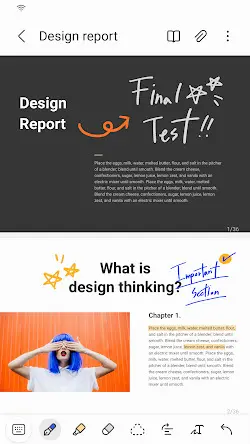
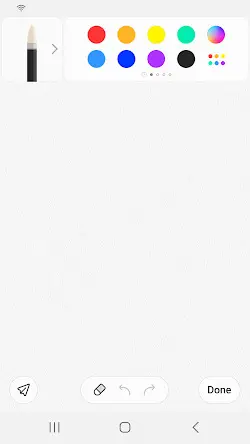
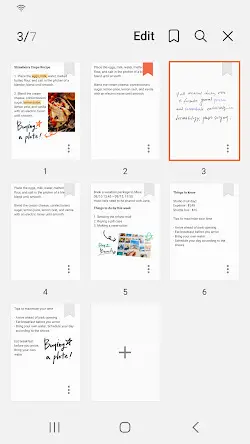
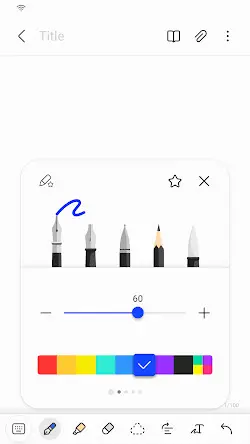
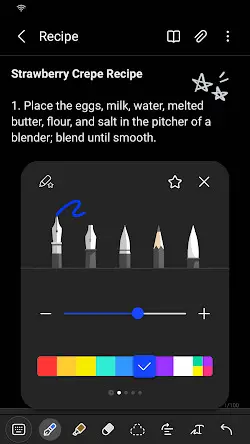
With Samsung Notes, users can create notes using text, handwritten content, images, voice recordings, and even action memos using the onscreen keyboard or the S Pen stylus. The S Pen delivers a comprehensive writing experience with features such as customizable brush and color options, variable pen pressure sensitivity, and the ability to create complex illustrations. Additionally, Samsung Notes automatically translates your written text into digital form for seamless sharing or exporting into other formats.
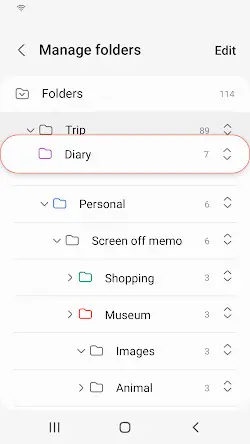
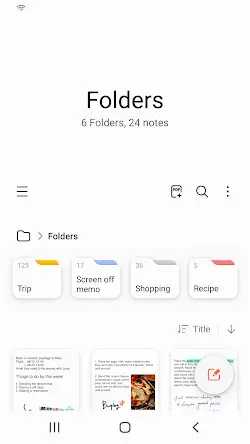
More than that, categorization and organization are essential components of Samsung Notes. Users can sort notes into different folders and tags, ensuring easy retrieval of ideas or meetings later on. The app also allows quick and easy searching for notes through keywords, making it easier than ever to locate specific content.
More conveniently, the app features seamless synchronization of Samsung Notes across devices using your Samsung account. This allows your synced notes to be accessed on other devices such as tablets, laptops, or even compatible Samsung smartphones.
In short, Samsung Notes delivers a versatile and powerful tool for those who wish to stay organized, creative, and productive on their Samsung devices. Despite its limitations, the app’s robust features and user-friendly interface make it an attractive choice for Samsung users seeking an all-in-one note-taking solution.
Samsung Notes Reviews
Pros
1. The app supports text, handwritten content, images, voice recordings, and action memos, catering to various user preferences and needs.
2. Folders and tags allow for efficient organization and quick retrieval of notes.
3. The app effortlessly syncs notes across multiple devices using your Samsung account.
4. The clean and intuitive design minimizes the learning curve, making it easy for new users to adapt to the app.
Cons
1. Samsung Notes is exclusive for Samsung devices, which limits the app’s usability for individuals with a variety of branded devices.
2. Sharing notes with non-Samsung users can be troublesome, hindering collaborative workflows and communication with team members.
3. A few users have reported occasional glitches when syncing their notes across devices, leading to notes not being updated or saved correctly.
Store Performance
On Google Play, the rating of Samsung Notes is 4.8 out of 5.0, with 5.74M user reviews and more than 1 billion installs. Unfortunately, Samsung Notes is not yet available in the iOS App Store, so there is currently no information for users to compare ratings and reviews.
Additional Information
- Category: Productivity
- Publish Date: 18 Mar,2024
- Size: 86 MB
- Requirements: Android 6.0+
- Developers: Visit the website
Screenshots




Download






Previous Versions
Disclaimer
· All APK files downloaded from AppDownList.com are safe. This site provides download links to Google Play and App Store. There is no unauthorized processing or modification of any APK packages, and we provide the same content as Google Play.
· This site and all content adheres strictly to all conventions in Google's Advertising Policy and Unwanted Software Policy.
· Please note that AppDownList only provides original APK packages. APK packages, trademarks and logos featured on AppDownList.com are owned by their original owners. If you own copyrighted material and would like to have it removed, please contact the person responsible for this site.
Similar Apps

Samsung Flow



Express Plus Centrelink

ChatGPT

Swann Security

Jabra Sound+

Mail for windows
You may Like