Samsung Flow
About Samsung Flow
Samsung Flow is a versatile application provided by Samsung Electronics CO., Ltd., designed to enhance connectivity and productivity across a range of devices. Released on March 2, 2016, it quickly became a popular choice among Samsung users looking for a seamless way to transition between their smartphones, tablets, and PCs.
With Samsung Flow, users can experience a hassle-free connection between their devices, allowing them to effortlessly switch tasks and continue their work without interruptions. The application utilizes Bluetooth or Wi-Fi Direct to establish a secure and reliable connection, ensuring a smooth experience.
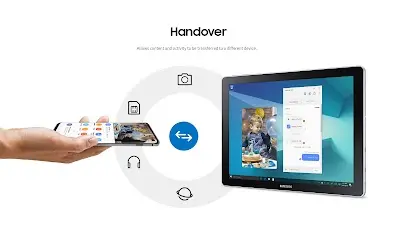
Not only that, but one of the prominent features of Samsung Flow is its ability to provide seamless device synchronization. Users can start an activity on one device and easily transition to another without losing progress. For example, you can begin reading an article on your smartphone, then pick up where you left off on your tablet or PC. This feature greatly enhances productivity and eliminates the need to constantly transfer files or retrace your steps.
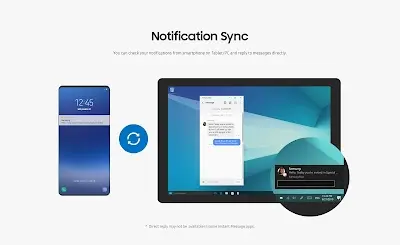
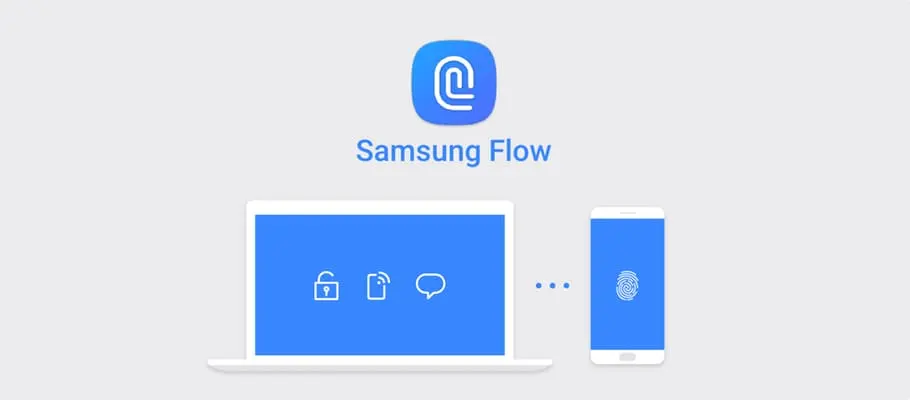
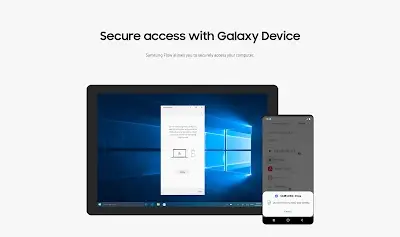
Additionally, another impressive aspect of Samsung Flow is its ability to unlock your PC using your smartphone’s fingerprint sensor or face recognition. This eliminates the need to remember and type in complex passwords, providing a convenient and secure login process. Moreover, you can receive real-time notifications from your phone directly on your PC, ensuring you stay updated on important messages and calls.
All in all, Samsung Flow offers a seamless and convenient solution for users looking to enhance connectivity and productivity across their Samsung devices. With its seamless device synchronization, convenient login process, and real-time notifications, Samsung Flow streamlines workflow and improves multitasking capabilities. While there are limitations, such as limited compatibility and feature restrictions on older devices, Samsung Flow remains a valuable application for Samsung users seeking a cohesive and efficient digital experience.
Samsung Flow Reviews
When it comes to the actual using experience, reviews for Samsung Flow have been largely positive, with users appreciating its seamless connectivity and convenience. The application’s ability to seamlessly transition between devices has been particularly praised, allowing for efficient multitasking and a streamlined workflow. Users also highlight the simplicity of the setup process and the stability of the connection.
Store Performance
On Google Play, the rating of Samsung Flow is 3.5 out of 5.0, with 18.7K user reviews and more than 10 million installs. Unfortunately, Samsung Flow is not yet available in the iOS App Store, so there is currently no information for users to compare ratings and reviews.
Pros and Cons
Pros
1. Seamless device synchronization: Easily transition between devices and continue tasks without interruptions.
2. Convenient login process: Use your smartphone’s biometric authentication to unlock your PC, eliminating the need for complex passwords.
3. Real-time notifications: Stay updated on vital messages and calls through your PC.
4. Stable connection: Bluetooth and Wi-Fi Direct ensure a reliable and secure connection between devices.
5. Streamlined workflow: Samsung Flow enhances productivity by enabling efficient multitasking and eliminating the need for constant file transfers.
Cons
1. Dependency on compatible applications: Some features of Samsung Flow rely on specific applications to function properly, potentially limiting its usefulness if those apps are not frequently used.
2. Connectivity issues: While generally stable, there may be occasional connection issues that require troubleshooting.
3. Feature limitations on older devices: Some features, such as fingerprint unlock, may not be available on older Samsung devices, limiting the application’s full functionality for those users.
Additional Information
- Category: Productivity
- Publish Date: 21 Apr,2026
- Size: 14 MB
- Requirements: Android 12+
- Developers: Visit the website
Screenshots



Download






Previous Versions
Disclaimer
· All APK files downloaded from AppDownList.com are safe. This site provides download links to Google Play and App Store. There is no unauthorized processing or modification of any APK packages, and we provide the same content as Google Play.
· This site and all content adheres strictly to all conventions in Google's Advertising Policy and Unwanted Software Policy.
· Please note that AppDownList only provides original APK packages. APK packages, trademarks and logos featured on AppDownList.com are owned by their original owners. If you own copyrighted material and would like to have it removed, please contact the person responsible for this site.
Similar Apps

Express Plus Centrelink


ChatGPT powered Chat - Nova AI

CamScanner - PDF Scanner App

My Vodafone

Jabra Sound+

BC Services Card
You may Like