CamScanner - PDF Scanner App
About CamScanner - PDF Scanner App
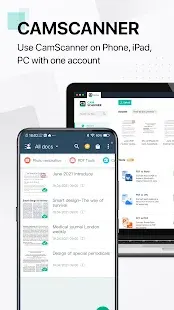
What do you use if you need to scan documents? Are you still using the scanner, which takes up a large place of your room? Or go for a long distance to the printing store? Why not choose CamScanner, an innovative app helping you scan documents with your smartphone? At present, 400 million Android phone users and 750 million iPhone users choose CamScanner to scan and edit their documents. And the app also supports other operation systems like macOS, Windows and Web.
With 17 languages available, CamScanner is widely used all over the world. Don’t be hesitated to download it. No matter you are teachers, lawyers, businessmen, or doctors, you will find the app of great help to improve your productivity!
CamScanner - PDF Scanner App Reviews
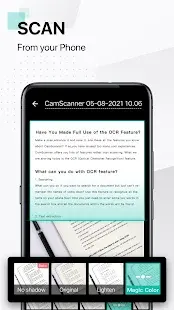
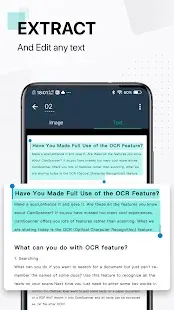
Scanner: Scan your target documents with the help of CamScanner, and text of the documents will be recognized automatically. You will find it really convenient that the layout of the document/picture will also be accurately recognized. Most importantly, scan quality will also be optimized by smart cropping and auto enhancing.
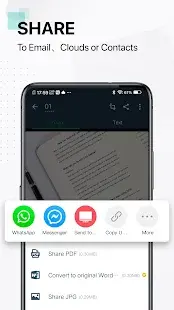
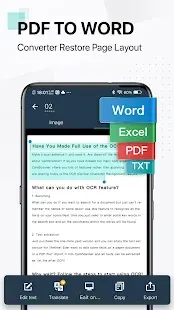
Convertor: With the help of CamScanner, PDF can be converted into a number of other formats (Word, PPT, Excel, JPG), and other formats can be converted into PDF within a few seconds.
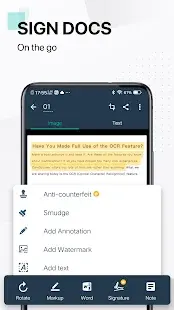
Editor: Documents could be edited in the app in the format of PDF conveniently. You can merge PDF, split PDF, delete PDF pages, sort PDF pages, rotate PDF, add signature and add watermark to PDF easily by using the app.
Subscription: You can use the app for free by watching ads, while the premium subscription offers you additional functions: + 10G cloud space, + 40 extra collaborators, auto upload docs to outer apps (Box, Google Drive, Dropbox, Evernote, One Drive and etc.), and more.
Store Performance
On iOS AppStore, CamScanner’s rating is 4.8 out of 5.0, with user reviews of more than 850,000. On Google Play, its rating is 4.8 out of 5.0, with 3,703,871 user reviews and more than 100,000,000 installs.
4.8 is a fairy high rating on both stores, as more than 90% of the ratings should be 5 stars. In other words, CamScanner is absolutely your best choice, if you need to scan documents with your mobile phone.
Pros and Cons
Pros:
-It has been a life saver when needing to send documents for personal and business purposes. Once scanned, documents can be converted to PDF and sent directly from the app.
-It’s very efficient and easy to use.
-The documents/pictures come out so clear in a short time, which makes people’s life much easier.
-There are so many different options without having to pay.
Cons:
-Free trial will be followed by auto subscription. People need to think twice when allowing the free trial.
-Some people think that it’s an annoying app forcing you to pay.
-Ads pop up on the screen when people are trying to scan documents. That hurts their experience.
Additional Information
- Category: Productivity
- Publish Date: 25 May,2026
- Size: 158 MB
- Requirements: Android 5.0+
- Developers: Visit the website
Screenshots



Download






Previous Versions
Disclaimer
· All APK files downloaded from AppDownList.com are safe. This site provides download links to Google Play and App Store. There is no unauthorized processing or modification of any APK packages, and we provide the same content as Google Play.
· This site and all content adheres strictly to all conventions in Google's Advertising Policy and Unwanted Software Policy.
· Please note that AppDownList only provides original APK packages. APK packages, trademarks and logos featured on AppDownList.com are owned by their original owners. If you own copyrighted material and would like to have it removed, please contact the person responsible for this site.
Similar Apps

My Vodafone



Translate
ChatGPT powered Chat - Nova AI

Express Plus Centrelink

Mail for windows

myGov
You may Like