LG ThinQ
About LG ThinQ
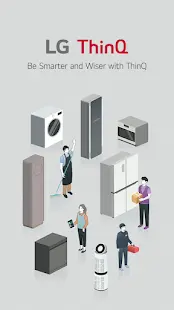
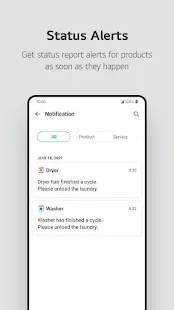
LG ThinQ is a smart application developed by LG Electronics, Inc. to allow users to control and monitor their LG smart home appliances. The application supports a wide range of devices, including air conditioners, washing machines, dryers, ovens, refrigerators, and robotic vacuum cleaners. The application provides users with real-time alerts, remote control, and energy-saving options.
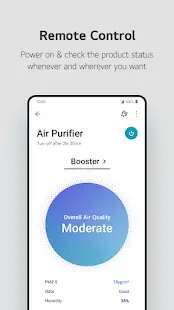
In terms of its functionality, LG ThinQ is designed to be a one-stop-shop for LG smart appliance owners. The application provides real-time updates on the status of your appliances, including energy consumption, wash and dry cycle times, and cooling and heating settings. It also provides options for remote control, such as starting or stopping a wash cycle or changing the temperature on your air conditioner. The application even allows you to monitor your robot vacuum cleaner’s cleaning progress while you are away from home. LG ThinQ’s energy-saving options are a standout feature. The application will analyze your energy consumption patterns and suggest ways to cut back on your usage, saving you money on your utility bills.
As far as its user interface is concerned, LG ThinQ’s interface is straightforward and easy to navigate. The application is available in multiple languages, making it user-friendly for non-native English speakers. The home screen displays all of your connected devices in a single view, allowing you to quickly access each appliance's settings. Additionally, the application's layout is visually appealing, with crisp graphics and a clean, modern design.
It’s also worth mentioning that the LG ThinQ application is easy to install and set up, even for users with minimal technical experience. The application provides step-by-step instructions for adding new devices, and the process only takes a few minutes.
LG ThinQ Reviews
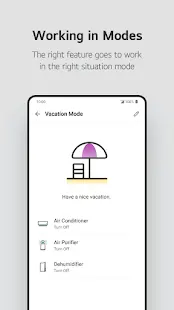
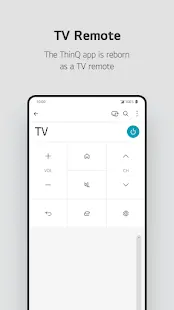
In terms of actual experience, LG ThinQ’s user interface is intuitive and straightforward, making it easy for users to navigate the application's features. The application’s home screen displays all the connected LG smart home devices and their status, making it easy to monitor and control them. In addition, LG ThinQ offers a wide range of smart home features, and the application supports a variety of LG smart home devices. Users can monitor and control their air conditioners, washing machines, refrigerators, robot vacuums, and televisions from the application. The application also provides detailed information about each device, such as energy consumption, usage history, and maintenance reminders.
Store Performance
On iOS App Store, the rating of LG ThinQ is 4.0 out of 5.0, with 31.5K user reviews. Notably, it has also been ranked as the 19th among lifestyle apps. On Google Play, its rating is 4.2 out of 5.0, with 401K user reviews and more than 50 million installs. Based on the above data, we can find that this app has relatively high scores in Google Play.
Pros and Cons
Pros
1. Wide Range of Smart Home Features: LG ThinQ offers a wide range of smart home features and supports a variety of LG smart home devices.
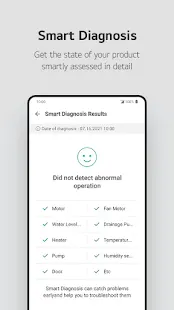
2. Smart Diagnosis: The application’s Smart Diagnosis feature allows users to troubleshoot and diagnose problems with their LG smart home devices, saving time and money.
3. User-Friendly Interface: LG ThinQ’s user interface is intuitive and easy to use, making it easy for users to navigate the application's features.
Cons
1. Limited Device Compatibility: LG ThinQ only supports LG smart home devices, which limits its compatibility with other smart home devices.
2. Connection Issues: Some users have reported connection issues with the application, particularly when using it with older LG smart home devices.
Additional Information
- Category: Lifestyle
- Publish Date: 10 Jan,2025
- Size: 196 MB
- Requirements: Android 9.0+
- Developers: Visit the website
Screenshots



Download






Previous Versions
Disclaimer
· All APK files downloaded from AppDownList.com are safe. This site provides download links to Google Play and App Store. There is no unauthorized processing or modification of any APK packages, and we provide the same content as Google Play.
· This site and all content adheres strictly to all conventions in Google's Advertising Policy and Unwanted Software Policy.
· Please note that AppDownList only provides original APK packages. APK packages, trademarks and logos featured on AppDownList.com are owned by their original owners. If you own copyrighted material and would like to have it removed, please contact the person responsible for this site.
Similar Apps



T-Mobile Tuesdays

Life360: Find Family & Friends
B&Q | DIY Home & Garden Tools
Toby Carvery
Grid Connect
You may Like