DuckDuckGo Privacy Browser
About DuckDuckGo Privacy Browser
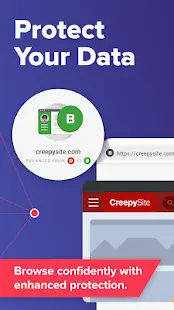
DuckDuckGo app is a web browser specifically designed for users who prioritize privacy and security when browsing the internet. Developed by DuckDuckGo, the search engine company known for its strict privacy policies, this browser offers a variety of features that protect users from online trackers and other potential threats.
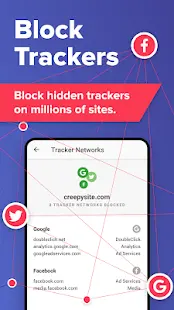
One of the most notable features of DuckDuckGo app is its ability to block all types of third-party trackers automatically. This includes cookies, fingerprinting, and other tracking methods that are often used to monitor user behavior online. By blocking these trackers, users can prevent their online activities from being tracked by advertisers and other entities, which helps to keep their personal information secure.
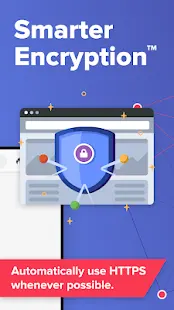
In addition to tracker blocking, DuckDuckGo also uses encryption to protect user data. This means that all online activities are encrypted and protected from prying eyes, including Wi-Fi hotspots and other insecure network connections. This is especially important for users who frequently use public Wi-Fi, which is often unsecured and susceptible to hacking attempts.
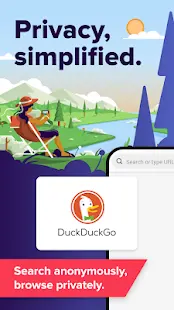
Other features of DuckDuckGo Private Browser include a built-in ad blocker, which helps to reduce distractions while browsing the web, and a search engine that prioritizes user privacy. The search engine does not collect or store any personal information and does not track user searches like other search engines do.
In a word, DuckDuckGo app is an excellent choice for users who value their privacy and want to stay protected while browsing the internet. Its comprehensive set of privacy features, paired with a user-friendly interface and fast browsing speeds, make it a great alternative to other popular web browsers.
DuckDuckGo Privacy Browser Reviews
From the actual experience, DuckDuckGo is a user-friendly and efficient browser. The browser has a simple interface that is easy to use and navigate. One of the standout features of the browser is its privacy settings, and it does not collect or share any personal data or browsing history, making it an excellent choice for individuals who value their privacy. Another great feature of the browser is the ability to block ads and trackers, which ensures a faster and smoother browsing experience. Additionally, the browser has a built-in search engine that is efficient and accurate. Overall, DuckDuckGo app is an excellent choice for anyone who wants a fast, private, and ad-free browsing experience.
Store Performance
On iOS App Store, the rating of DuckDuckGo Privacy Browser is 4.7 out of 5.0, with 46 user reviews. On Google Play, its rating is 4.5 out of 5.0, with 1,900,000 user reviews and more than 10,000,000 installs. Based on the above data, we can find that this app ranks high in App Store.
Pros and Cons
Pros
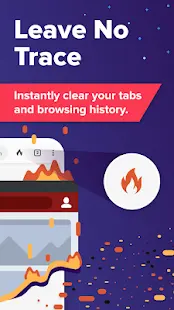
Privacy Protection: DuckDuckGo Private Browser is specifically designed to protect your privacy by blocking website trackers and clearing your browsing history automatically.
Ad Blocking: By default, the browser blocks ads and spammy content, ensuring a faster and cleaner browsing experience.
No User Tracking: DuckDuckGo Private Browser does not log any personally identifiable information or track your online activity, making it perfect for users who value their privacy.
Easy to Use: The interface is clean and user-friendly, with a search bar and navigation buttons clearly visible on the home screen.
Cons
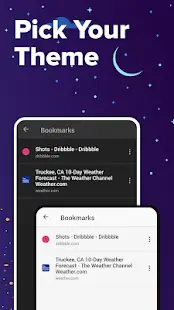
Less Customizable: The browser has limited options for customizing its appearance and functionality.
Additional Information
- Category: Tools
- Publish Date: 9 Jun,2026
- Size: 124 MB
- Requirements: Android 8.0+
- Developers: Visit the website
Screenshots



Download






Previous Versions
Disclaimer
· All APK files downloaded from AppDownList.com are safe. This site provides download links to Google Play and App Store. There is no unauthorized processing or modification of any APK packages, and we provide the same content as Google Play.
· This site and all content adheres strictly to all conventions in Google's Advertising Policy and Unwanted Software Policy.
· Please note that AppDownList only provides original APK packages. APK packages, trademarks and logos featured on AppDownList.com are owned by their original owners. If you own copyrighted material and would like to have it removed, please contact the person responsible for this site.
Similar Apps

Unit Converter


Android System Update
CCleaner – Phone Cleaner

VPhoto
Load Shedding Notifier

My Boost Mobile
You may Like