TP-Link Tapo
About TP-Link Tapo
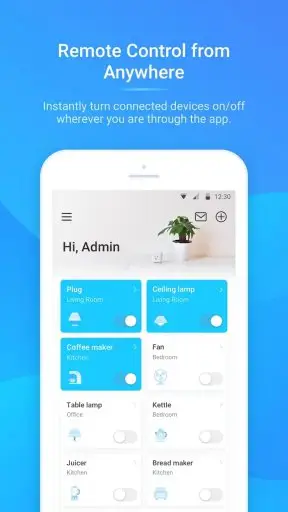
The Tapo app is a feature-rich application that allows users to manage and control their TP-Link Tapo smart home devices from their mobile phones or tablets. The app provides users with full control over their smart cameras, smart plugs, smart switches, and smart bulbs with just a few taps.
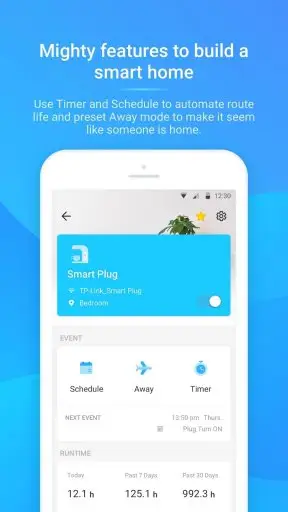
One of the most noticeable features of the Tapo app is the sleek and intuitive user interface. The app’s design is modern and colorful, which makes it easy to navigate, even for first-time users. Additionally, the app's compatibility with multiple languages ensures that users from all parts of the world can access the app with ease. And another standout feature of the Tapo app is its ability to coordinate multiple smart home devices seamlessly. As a result, users can set schedules, turn devices on or off, and access all the features of their connected devices with just one application. In addition, the app can send push notifications to alert users when there are any changes to the device’s status or when motion is detected.
The Tapo app also offers advanced features such as 24-hour playback of recorded videos, two-way audio communication with smart cameras, and adjustable brightness settings for smart bulbs. Moreover, users can set up scenes to automate their devices, such as turning on the lights when they arrive home or turning off the TV when they’re leaving the house.
Finally, the Tapo app ensures the security of the user’s smart home devices through its reliable encryption methods. The app uses secure cloud storage to protect recorded videos and ensure that only authorized users can access the data. Furthermore, the app’s built-in two-factor authentication adds an additional layer of security, guaranteeing that no unauthorized persons can gain access to the user’s smart home devices.
TP-Link Tapo Reviews
From the actual experience, the Tapo app provides a comprehensive solution for managing and controlling smart home devices with ease, security, and efficiency. The app’s user-friendly interface, advanced features, and robust security measures make it an excellent choice for any smart home enthusiast. The app allows for remote control of devices, which can make your life much more convenient. The home screen provides an overview of all the connected devices, and the automation features help to schedule tasks easily. However, it seems a bit slow to load sometimes. But overall, the app will make managing your smart home devices more efficient and convenient.
Store Performance
On iOS App Store, the rating of TP-Link Tapo is 4.7 out of 5.0, with 1,100 user reviews. On Google Play, its rating is 4.6 out of 5.0, with 159,000 user reviews and more than 5,000,000 installs. Based on the above data, we can find that this app has relatively high scores and ranks high in App Store.
Pros and Cons
Pros
1. User-friendly interface: The Tapo app has a simple and intuitive interface that makes it easy to navigate and use.
2. Remote Access: The app allows remote access to connected devices, which means that users can control their smart home devices from anywhere using their smartphones.
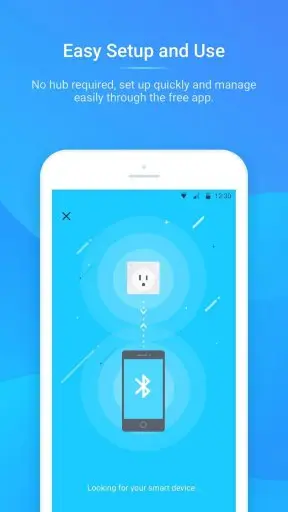
3. Easy Setup: The Tapo app provides easy step-by-step instructions for setting up and configuring new devices.
4. Multiple Device Control: The app supports the management of multiple smart home devices from a single interface.
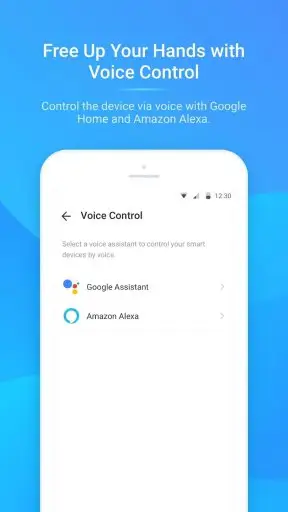
5. Voice Control: The Tapo app can be integrated with virtual assistants like Amazon Alexa and Google Assistant, allowing for voice control of smart home devices.
Cons
Occasional Connectivity Issues: Some users have reported occasional connectivity issues with the app, which can lead to difficulty in controlling connected devices.
Additional Information
- Category: Lifestyle
- Publish Date: 15 Nov,2024
- Size: 145 MB
- Requirements: Android 6.0+
- Developers: Visit the website
Screenshots



Download






Previous Versions
Disclaimer
· All APK files downloaded from AppDownList.com are safe. This site provides download links to Google Play and App Store. There is no unauthorized processing or modification of any APK packages, and we provide the same content as Google Play.
· This site and all content adheres strictly to all conventions in Google's Advertising Policy and Unwanted Software Policy.
· Please note that AppDownList only provides original APK packages. APK packages, trademarks and logos featured on AppDownList.com are owned by their original owners. If you own copyrighted material and would like to have it removed, please contact the person responsible for this site.
Similar Apps

Life360: Find Family & Friends


Smart Life - Smart Living

Airtasker

Nextdoor: Neighborhood network

Money App - Cash Rewards App

Globe Suite
You may Like