Screen Mirroring - Miracast
About Screen Mirroring - Miracast
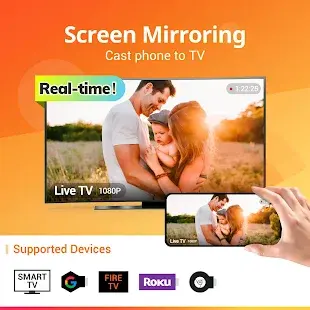
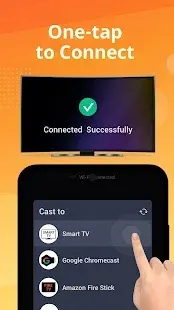
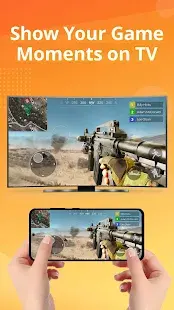
Screen Mirroring - Cast Phone to TV is a smart screen casting software developed by InShot Inc. Users only need to ensure that devices such as mobile phones, tablets and smart TVs are connected to the same Wi-Fi network, and they can switch programs to the same Wi-Fi network with simple steps. TV and screen sharing with family or friends. Users can easily access all types of media files including mobile games, photos, music, videos and e-books. Screen Mirroring currently supports multiple devices - including most Smart TVs, LG, Samsung, Sony, TCL, Xiaomi, Hisense, Google Chromecast, Amazon Fire Stick and Fire TV, Roku Stick and Roku TV, AnyCast, and more.
Screen Mirroring - Miracast Reviews
Screen mirroring has become an increasingly important feature of mobile devices. This is such an important feature that most modern devices now incorporate it into their functionality. Mirroring options are as common in smart TVs as they are in mobile devices. Screen Mirroring - Cast Phone to TV Mirroring app screen sharing to TV's screen is a smart solution that helps users to display small phone screen on larger TV screen. Mirroring your display from your phone's screen on your TV is great for streaming movies, videos, accessing photos and apps on a larger TV screen. Users can easily connect their smartphones to wireless TVs. Users just need to make sure that your phone or tablet and smart TV are connected to the same Wi-Fi network, then enable "Wireless Display" on your phone, at the same time, enable "Miracast" on your smart TV, and finally, search and pair equipment.
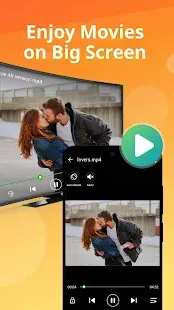
A simple interface that helps you quickly mirror your phone to your TV. Users can watch PPT in TV Mirror, so users can start presentations in business meetings using Miracast & TV mirror technology, cast to TV and present your presentations and ideas with your colleagues; users can also share in Smart View Movies, try sharing interesting content with your friends or family in Smart View on the big TV screen. If you are looking for a free and stable cast to TV app to cast your small screen to a big screen and get a great screen sharing experience, Screen Mirroring's mirroring technology is a good choice.
Store Performance
11156611 downloads. The overall score of Screen Mirroring in the Google Store is good, and most users rated it as 5 stars. However, because the system is not compatible with some devices, there are still problems in the connection, which affects the sound and picture effects, resulting in a poor user experience. Some users rated it 1 star.
Pros and Cons
Pros
- Easy to use and works well with supported TVs.
- Screen Mirroring has few ads.
Cons
- There is a possible incompatibility with the device.
- There is a problem that the sound may be stuttered or even completely silent.
Additional Information
- Category: Tools
- Publish Date: 8 Jun,2024
- Size: 5 MB
- Requirements: Android 5.0+
- Developers: Visit the website
Screenshots
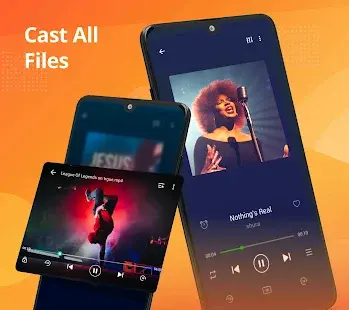
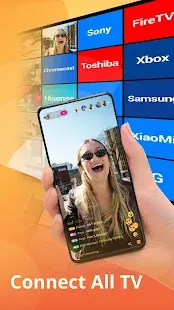



Download






Previous Versions
Disclaimer
· All APK files downloaded from AppDownList.com are safe. This site provides download links to Google Play and App Store. There is no unauthorized processing or modification of any APK packages, and we provide the same content as Google Play.
· This site and all content adheres strictly to all conventions in Google's Advertising Policy and Unwanted Software Policy.
· Please note that AppDownList only provides original APK packages. APK packages, trademarks and logos featured on AppDownList.com are owned by their original owners. If you own copyrighted material and would like to have it removed, please contact the person responsible for this site.
Similar Apps
Screen Recorder(Maude Green)


My Sky | TV, Broadband, Mobile
TV Remote - Universal Control
Hidden Camera Detector - Detec
Android System Update
My Spectrum
You may Like