Samsung Smart Switch Mobile
About Samsung Smart Switch Mobile
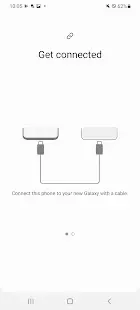
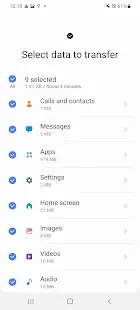
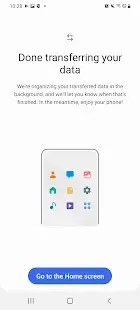
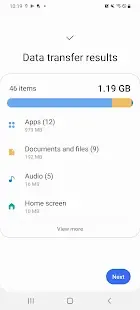
Samsung Smart Switch Mobile is a program and content transfer tool developed by Samsung Electronics Co., Ltd. to transfer multiple types of data from any mobile device running Android, iOS, Windows or Blackberry operating systems to Samsung Galaxy devices, Includes music, videos, photos, notes, calendars, documents, and more. And, it supports direct cloud transfer, iPhone users can send data directly from their iCloud account to their Samsung phone without risking losing any data on the phone.
Samsung Smart Switch Mobile Reviews
Transferring data prevents most people from moving from old smartphones to new ones, including programs, contacts, photos and notes, all accumulated on old machines and necessary in everyday life. A user's cloud program can reduce the number of problems on this move, but there's not always something to forget to copy. People have come up with hundreds of ways to transfer data, but convenience and simplicity are not enough, in my opinion, but the best way for Samsung smartphone buyers is to opt for Samsung Smart Switch Mobile, which exists in On Mac/Windows computers Mac/Windows and smartphones. And for most users, it solves many problems and sometimes even affects the decision to buy a device. You've probably witnessed how sellers convince people to try Android when they explain that when you navigate from the same iOS, you won't lose any content—contacts, music, photos, and even apps will stay with you. It's like a miracle in people's eyes because iOS and Android don't seem to work together easily, so switching from one system to the other is so difficult. But in fact, it is not difficult to move from one system to another, Samsung Smart Switch Mobile takes half an hour if you have a lot of data such as music and photos. Samsung Smart Switch Mobile can help you transfer.
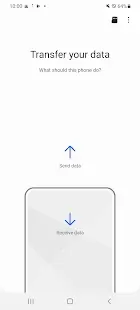
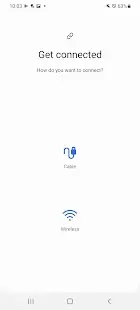
It ensures that you don't make any unnecessary movements without going to the store to buy separate accessories needed to transfer data. Users need to install the smart switch to your smartphone and follow the on-screen prompts. It has no other equipment and complexity. Users simply navigate a simple dialog menu, and you will be prompted to select a theme to save. Samsung has grappled with the pain points of many users long ago, continuing to develop the Smart Switch to make this process as clear and affordable as possible. Samsung Smart Switch Mobile opens with Android smartphones as much as possible because it not only allows users to transfer data, but also allows users to transfer settings, such as the location of desktop icons, Wi-Fi settings. The entire work environment will be migrated, including setting up accessories used by users. For many people, buying iTunes music from the iPhone and it will appear on the user's new Android smartphone is also a miracle. Smart Switch is also present in MacOS and Windows for those who for some reason want to use a computer to transfer data.
Many users often have to move from one smartphone to another as part of their job, always trying to minimize time loss. The Samsung Smart Switch Mobil can come to the rescue as it helps restore the user's working environment, giving the user the opportunity to get a familiar smartphone within minutes, where everything is already located in a user-friendly way. The manufacturer has ensured that from the first minute you will have a pleasant impression of what you will get and how everything will work. It's time to transfer data with Samsung Smart Switch Mobil, giving you the freedom to move contacts, music, photos, calendars, text messages, device settings, and more to your new Galaxy device, because it's a smart and easy option. Good luck with your move.
Store Performance
Samsung Smart Switch Mobile has 357,208 reviews in Google Play store and a review of 4.1 stars out of 5. Unfortunately, Samsung Smart Switch Mobile is not yet available in the iOS App Store for users to install, so it is impossible to compare and reference the performance of the app in this two major app stores.
Pros and Cons
Pros:
- Freely move contacts, music, photos, calendars, text messages, device settings and more to your new Galaxy device
- Very easy to use without any additional equipment
Cons:
- There are cases where the process of transferring data fails
- There is a problem that some data does not support transfer
Additional Information
- Category: Tools
- Publish Date: 24 Jul,2022
- Size: 24 MB
- Requirements: Android 4.0+ (Ice Cream Sandwich, API 14)
- Developers: Visit the website
Screenshots



Download






Previous Versions
Disclaimer
· All APK files downloaded from AppDownList.com are safe. This site provides download links to Google Play and App Store. There is no unauthorized processing or modification of any APK packages, and we provide the same content as Google Play.
· This site and all content adheres strictly to all conventions in Google's Advertising Policy and Unwanted Software Policy.
· Please note that AppDownList only provides original APK packages. APK packages, trademarks and logos featured on AppDownList.com are owned by their original owners. If you own copyrighted material and would like to have it removed, please contact the person responsible for this site.
Similar Apps
QR Code Reader: QR Scanner



One Booster - Antivirus, Booster, Phone Cleaner
HiPER Scientific Calculator
Flashlight
Galaxy Wearable (Samsung Gear)
GuitarTuna: Chords,Tuner,Songs
You may Like