
Move to iOS
About Move to iOS
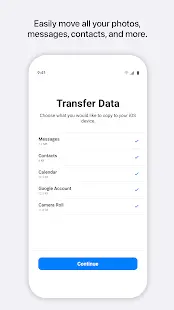
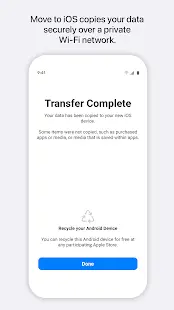
Move to iOS is a system migration tool developed by Apple and listed on the Google Store. This application allows Android users to move key information from Android phones to iPhone via Wi-Fi, including contacts, messages, calendars, mail accounts and media and other data. The user does not need to save the content elsewhere. Just move to Move to iOS and it securely transfers content for users.
Move to iOS Reviews
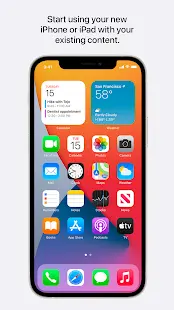
When users want to migrate files between phones running different operating systems, it's not an easy task, but with Move to iOS, the task has now become easier to handle. This app is designed to encourage Android users to switch to iPhone, it enables Android users to transfer all their old data from Android device to iPhone, users just need to download "Move to iOS" from any Android app store. The app is supported on all phones and tablets running Android 4.0 and later, allowing you to stream content easily and securely from your phone over the same wireless network. iOS will set the user's default mail account and automatically add any free apps you already have. For those Android apps that require a fee, you can always buy them if they are already available on the App Store. The user's contacts, photos and messages are all ported over, which has the benefit of getting you up and running faster than if you were trying to figure out how to insert that information manually. If users just want to get started with their new iPhone quickly, this app is the best way to do it. It's a lot like the old data transfer machines using the cloud.
Store Performance
Move to iOS has 185,687 reviews in Google Play store and a review of 3.2 stars out of 5 and it has over 100M downloads. The reason why Move to iOS has a low score is mainly because the app wastes a lot of time for users to transmit data, and there is always a transmission error during the transmission process, which causes Move to iOS to not achieve the most convenient and economical features it needs. The efficacy of the time, which disappointed many users and review a 1 star out of 5.
Pros and Cons
Pros
- Simple operation and safe performance.
- It is convenient for users to transfer data directly without transferring to other devices.
Cons:
- There may be transmission errors during its transmission process, which results in wasting a lot of time for users to transmit data, and may even fail to transmit eventually.
- Some programs may not work after transfer.
Additional Information
- Category: Tools
- Publish Date: 18 May,2025
- Size: 10 MB
- Requirements: Android 6.0+
- Developers: Visit the website
Screenshots



Download






Previous Versions
Disclaimer
· All APK files downloaded from AppDownList.com are safe. This site provides download links to Google Play and App Store. There is no unauthorized processing or modification of any APK packages, and we provide the same content as Google Play.
· This site and all content adheres strictly to all conventions in Google's Advertising Policy and Unwanted Software Policy.
· Please note that AppDownList only provides original APK packages. APK packages, trademarks and logos featured on AppDownList.com are owned by their original owners. If you own copyrighted material and would like to have it removed, please contact the person responsible for this site.
Similar Apps

My Boost Mobile



Speed Booster

Google Opinion Rewards

Flashlight
Google Play services
Universal TV Remote Control (TV)
You may Like