Microsoft Word: Edit Documents
About Microsoft Word: Edit Documents
Microsoft Word: Edit Documents is a powerful and widely used word processing application developed by Microsoft Corporation. Launched on January 6, 2015, it has since become an essential tool for creating, editing, and formatting documents across various platforms.
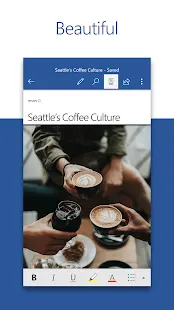
With its user-friendly interface and a plethora of features, Microsoft Word provides a seamless and efficient experience for both personal and professional use. The app offers a wide array of formatting options, templates, and styles, enabling users to customize their documents according to their specific needs.
One of the standout features of Microsoft Word is its collaboration capability, allowing multiple users to work simultaneously on a document. Real-time editing, comments, and track changes enable seamless collaboration and communication among team members.
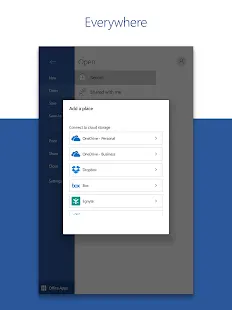
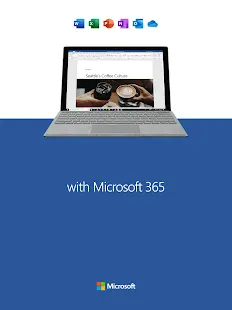
Additionally, Microsoft Word integrates seamlessly with other Microsoft Office applications, facilitating smooth workflow and interoperability. The app is compatible with numerous file formats, making it easy to import and export documents to and from various sources.
Overall, Microsoft Word: Edit Documents stands as a versatile and indispensable application, empowering users to create professional documents with ease while offering robust collaboration features for enhanced productivity.
Microsoft Word: Edit Documents Reviews
Template Gallery is the core feature that distinguishes Microsoft Word from other similar document editors. On the Word app, not only can you design your own format or layout, but you can also ask the Template Gallery for help. There are all kinds of templates in the gallery: resume, newsletters, brochures, legal documents, proposals, Christmas lists, and more. With those templates, you can design beautiful and professional docs without any efforts.
By downloading Microsoft Word, PDF editor is no longer needed, as the Word app also helps you to edit PDF documents. By using the app, you can read PDFs, convert them into and from PDFs, and save as PDF after editing.
You will find that working with your colleagues online is very convenient with the help of Microsoft Word. Document could be shared as a link, email or attachment. Besides, you can read and edit documents as a team, and the editor history will be saved, so that you can keep track of all the changes. Moreover, you can comment in your document right next to the text using Office Suite.
Store Performance
On iOS AppStore, Microsoft Word’s rating is 4.7 out of 5.0, with more than 1.8 million user reviews. On Google Play, its rating is 4.8 out of 5.0, with 8,432,533 user reviews and more than 1,000,000,000 installs.
The Microsoft Word app is available on iOS AppStore and Google Play, but it has already attracted billions of downloads. And its ratings on the two platforms are both fairly high. Those data show us the fact that Microsoft Word is widely demanded worldwide, and users are very satisfied with its performance.
Pros and Cons
Pros:
- Microsoft Word is more widely used and recognized by more people when creating word documents. People feel safe using the app.
- Users find it very convenient as they can edit documents anytime and anywhere they want.
- Templates help a lot in writing letters, designing cover letters, writing reports, and more.
- The “Read Aloud” feature is appreciated by a lot of users. It’s great to hear your words come to life being read aloud.
Cons:
- There are a few bugs in the app. For example, some users occasionally cannot insert pictures into the text.
Additional Information
- Category: Business
- Publish Date: 26 Jan,2026
- Size: 138 MB
- Requirements: Android 13+
- Developers: Visit the website
Screenshots



Download






Previous Versions
Disclaimer
· All APK files downloaded from AppDownList.com are safe. This site provides download links to Google Play and App Store. There is no unauthorized processing or modification of any APK packages, and we provide the same content as Google Play.
· This site and all content adheres strictly to all conventions in Google's Advertising Policy and Unwanted Software Policy.
· Please note that AppDownList only provides original APK packages. APK packages, trademarks and logos featured on AppDownList.com are owned by their original owners. If you own copyrighted material and would like to have it removed, please contact the person responsible for this site.
Similar Apps
Google Assistant



Dayforce

Workday
Google Slides

LinkedIn: Jobs & Business News
Notepad Free
You may Like