Google Street View
About Google Street View
When it comes to Google, a large number of well-designed apps such as Google Chrome, Google Map, YouTube, Gmail, and more will come to our mind. Among those well-known apps, Google Street View could be regarded as one of Google’s masterpieces that use high technology to help people see the real world.
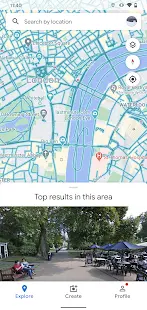
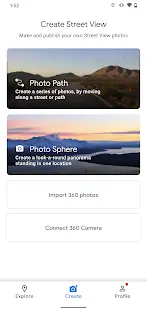
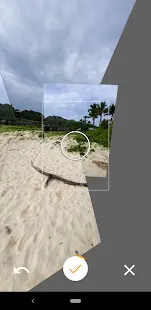
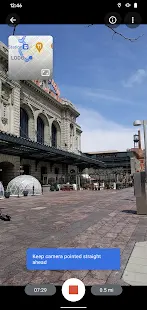
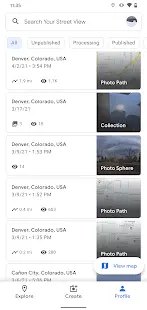
With the help of Google Street View, navigation will be much easier than any time before. You can use Photo Spheres, the 360° panoramas, to look for the right place; you can use Photo Paths, which includes a number of photos about the street or trail; and you can also use Street View, which connected panoramas from a 360° camera to find the way.
Google Street View Reviews
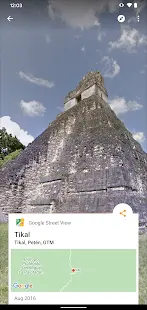
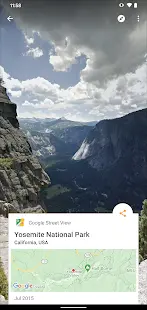
Google Street View is not just an app designed to support Google Map and Google Earth. It’s a travel app that helps you to see the world in details. On this app, you can explore landmarks around the world, and see what they look like using 360° panoramas. Due to the outbreak of COVID-19, traveling around the world becomes more and more difficult, while you still can use Google Street View to see the world at home.
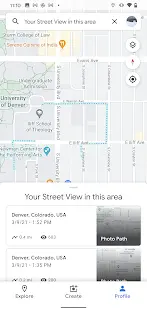
In addition, users could also act as a contributor to upload photos of a specific place, which will be helpful to other users.
Pros and Cons
Pros
- Google Street View is very helpful when trying to find a specific location with more than just the address.
- When you view the photos, 360 photos especially, you feel like you're really there standing in the spot the photo was taken.
- Some people enjoy contributing new pictures to the app. They are happy that they are helpful to others in this way.
- The 360 photographs using peripheral connections is very innovative and enlightening. It helps people to see the world without traveling.
- This app is very useful and easy to recognize known addresses. By using the app, you know what to look for when you are in a new place.
Cons
- Some pictures on Google Street View are out of time, and it’s kind of misleading when people arrive at a new place and need to find the way.
- On some devices, loading on the app is slow, and there are internet connection problems.
- Users found that some photos on Google Street View are not matching with the right places.
Additional Information
- Category: Travel & Local
- Publish Date: 1 Nov,2022
- Size: 35 MB
- Requirements: Android 5.0+
- Developers: Visit the website
Screenshots



Download






Previous Versions
Disclaimer
· All APK files downloaded from AppDownList.com are safe. This site provides download links to Google Play and App Store. There is no unauthorized processing or modification of any APK packages, and we provide the same content as Google Play.
· This site and all content adheres strictly to all conventions in Google's Advertising Policy and Unwanted Software Policy.
· Please note that AppDownList only provides original APK packages. APK packages, trademarks and logos featured on AppDownList.com are owned by their original owners. If you own copyrighted material and would like to have it removed, please contact the person responsible for this site.
Similar Apps

VeriFLY: Fast Digital Identity



Voi – e-scooters for hire

Upside-Cash back on gas & food

Tripadvisor: Plan & Book Trips

Neuron E-scooters and E-bikes

Spirit Airlines
You may Like