Epson iPrint
About Epson iPrint
Epson iPrint is an application developed by Seiko Epson Corporation that allows users to easily print from their mobile devices, including smartphones and tablets, to Epson printers. The app is compatible with Apple iOS and Google Android operating systems.
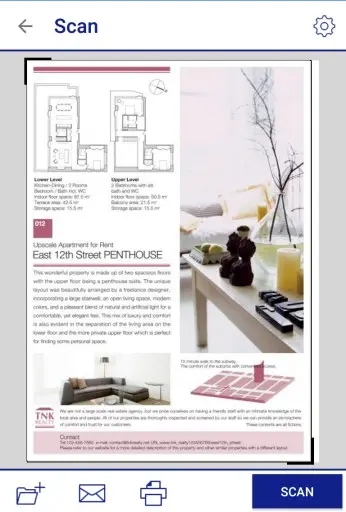
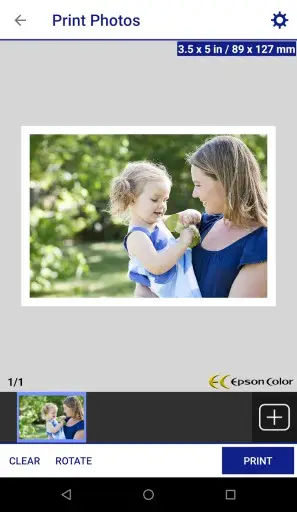
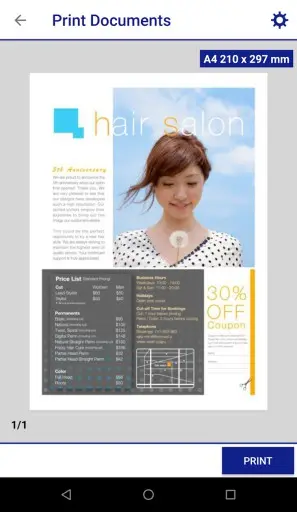
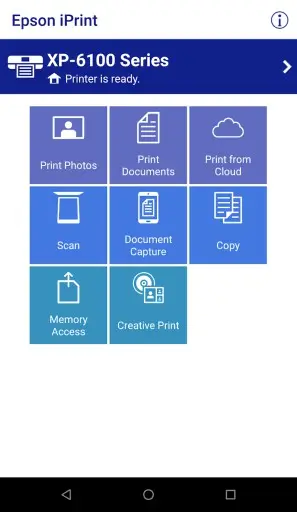
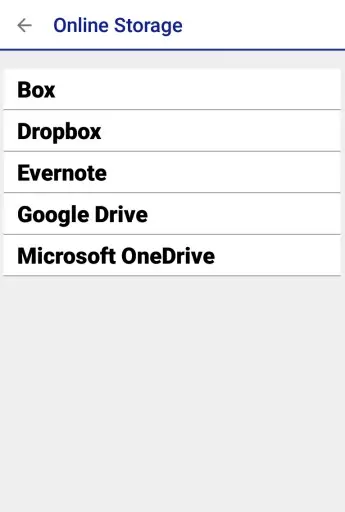
One of the most convenient features of Epson iPrint is its ability to scan documents or images from an Epson printer directly to a user’s mobile device. This allows users to easily digitize physical documents, images or other materials without the need for a computer or additional software. Other key functions of Epson iPrint include the ability to print photos, web pages, and documents from a mobile device, as well as print files from cloud services such as Google Drive, Dropbox and Evernote. The app also provides options to adjust print quality, paper type and size, and even select multiple photos to print at once.
In addition to its printing and scanning features, Epson iPrint also includes a range of maintenance tools, such as the ability to check ink levels, clean printer heads, and initiate firmware updates for printers. These features help ensure that Epson printers are always performing at their best, and can be managed directly from a user’s mobile device.
All in all, Epson iPrint provides a convenient and easy-to-use solution for anyone looking to print or scan from their mobile device to an Epson printer. With its intuitive interface and robust feature set, it can help increase productivity and efficiency for both personal and professional use.
Epson iPrint Reviews
From the actual experience, this app is easy to use and has a wide range of features. The interface is user-friendly, and it is simple to navigate through the menus. One can print from various devices like smartphones or tablets, and it supports both iOS and Android. The app can detect any printer available on the network, and it is effortless to set up. Overall, I find Epson iPrint to be effective, efficient, and useful, especially for people who frequently print from their mobile devices.
Store Performance
On Google Play, the rating of Epson iPrint is 4.4 out of 5.0, with 426,000 user reviews and more than 50,000,000 installs. From the above data, we can easily find that this application is relatively popular in Google Play.
Pros and Cons
Pros
1. Convenient and easy to use: The Epson iPrint app allows users to print, scan and share documents easily and quickly from their mobile devices.
2. Wide device compatibility: The app is compatible with a wide range of Epson printers and multifunction devices, making it accessible for a large number of users.
3. Enhanced functionality: With the app, users can print photos and documents from various cloud services and even scan documents to cloud storage services or email addresses.
4. Cost-effective: The app is free to download and does not require any additional hardware or software, making it cost-effective.
Cons
1. Limited printer support: Although the app supports a wide range of Epson printers, it may not work with some older or discontinued models.
2. Limited file format support: The app does not support all file formats, which may limit its usefulness for some users.
3. Internet connection required: The app requires an active internet connection, which may limit its usefulness in areas with poor connectivity.
4. Limited features: While the app offers basic printing and scanning functionality, it may not have all the advanced features of dedicated printing or scanning apps.
Additional Information
- Category: Tools
- Publish Date: 6 Apr,2026
- Size: 90 MB
- Requirements: Android 8.0+
- Developers: Visit the website
Screenshots



Download






Previous Versions
Disclaimer
· All APK files downloaded from AppDownList.com are safe. This site provides download links to Google Play and App Store. There is no unauthorized processing or modification of any APK packages, and we provide the same content as Google Play.
· This site and all content adheres strictly to all conventions in Google's Advertising Policy and Unwanted Software Policy.
· Please note that AppDownList only provides original APK packages. APK packages, trademarks and logos featured on AppDownList.com are owned by their original owners. If you own copyrighted material and would like to have it removed, please contact the person responsible for this site.
Similar Apps

MOD-MASTER for Minecraft PE


Google Play Store

Geeni
Calculator Plus with History

Calculator

Alex App: Smart Voice Speaker
You may Like